
Dell Pro Max Ultra 16 Notebook MC16250 UAE: Complete Q&A Guide for Engineers, Architects, AI Professionals & Businesses

Table of Contents

Dell Pro Max Ultra 16 Notebook MC16250 UAE: Frequently Asked Questions

Over the last few years, more companies have begun using more powerful mobile workstations such as the Dell Pro Max Ultra 16 Notebook MC16250 to do jobs like Engineering, AI Development, Content Creation, Architecture, and data-intensive applications.

Businesses have been looking for a mobile workstation with desktop-based performance, and the MC16250 is that machine. With its professional-grade processing capability, professional graphics, and enterprise-quality reliability, it meets their needs.

This document will answer questions that are frequently asked about the Dell Pro Max Ultra 16 Notebook MC16250 and will enable businesses and professionals to make an informed decision on which workstation is best suited for their respective jobs.

Where Can I Buy the Dell Pro Max Ultra 16 Notebook MC16250 in the UAE?

Pro Max Ultra 16″ Notebook MC16250

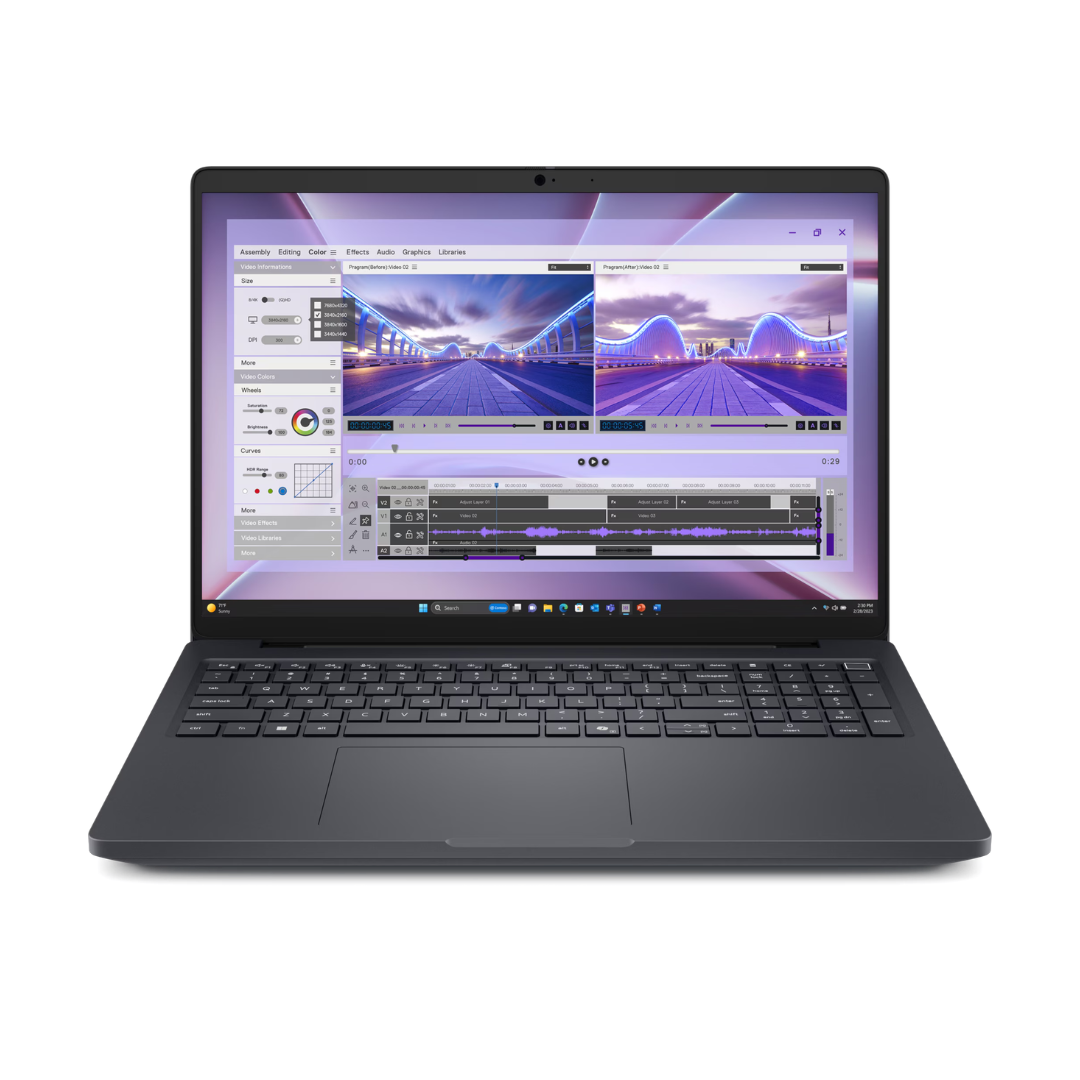
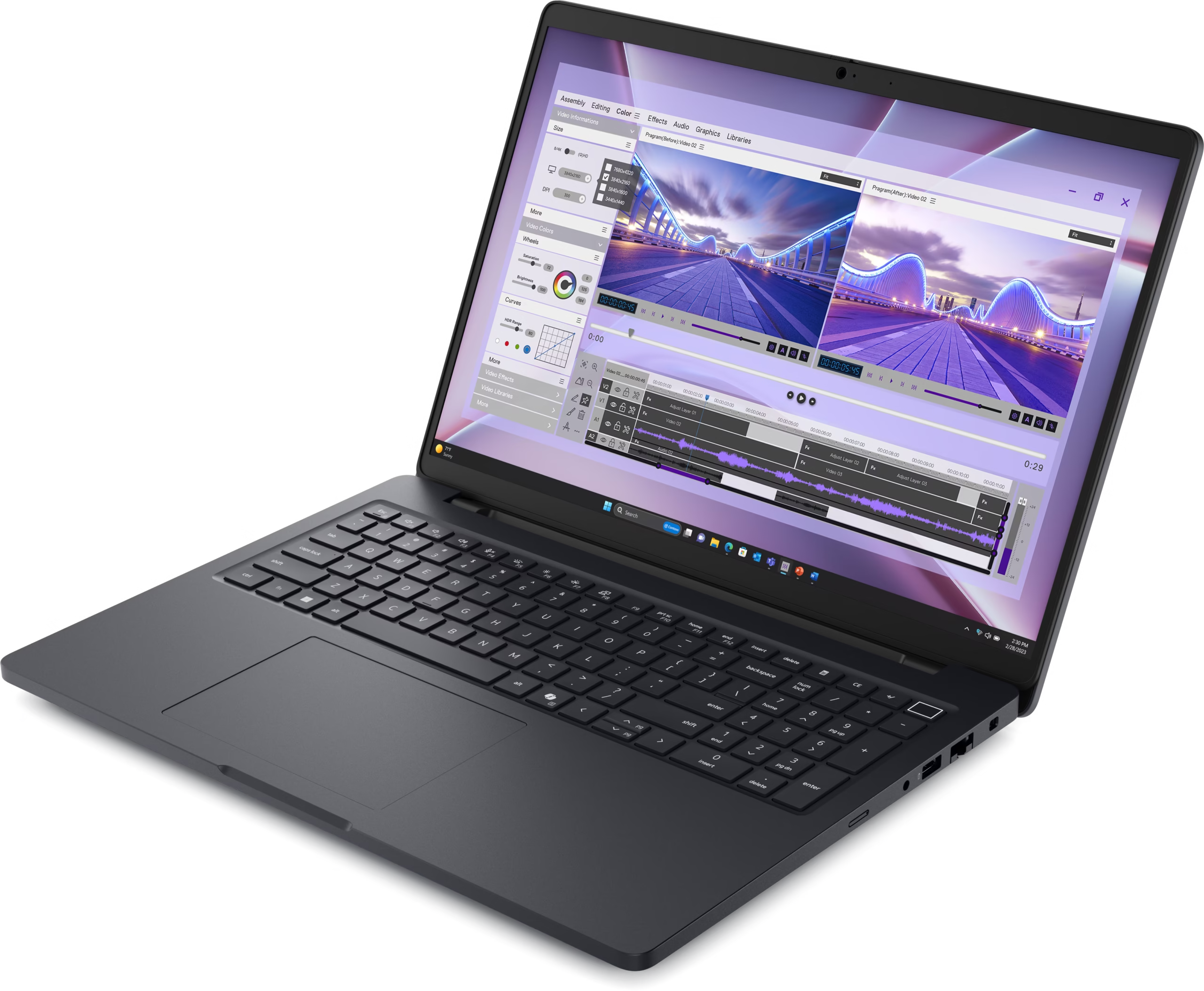
Looking for an amazing laptop that can give you the performance you need when working, or if you are multitasking? The Pro Max Ultra 16″ Notebook MC16250 is specially designed for professional, business, and creative individuals who need speed, efficiency and reliability to complete various tasks. With its large screen size combined with advanced processing capabilities, this computer is ideal for modern-day workflows.

Why Choose the Pro Max Ultra16″ Laptop?

Since the laptop market in the UAE is very demanding on both performance and flexibility, this product delivers on all fronts of both by providing:

  • 16-inch display to provide better productivity.
  • Processor with higher performance levels to provide better multitasking.
  • High-speed SSD storage & memory for seamless workflow.
  • Professional looking finish.
  • Reliable performance for use in business environments.

When contemplating your next professional laptop, the Pro Max Ultra 16″ is ideal for anyone who falls into these categories:

  • Business Professionals & Corporate Users
  • Graphic Designer, Developers, or Creative
  • Remote workers or Hybrid Teams
  • Students & Productivity Based Users
  • Business needing scalable laptop solutions

Key Features:

  • 16″ High-Resolution Display.
  • High-Speed Processors That Provide the Highest Level of Performance.
  • SSD Storage for Super-Fast Access.
  • Long Battery Life for Maximum All-Day Productivity.
  • Multiple Connectivity Options.
SKU: MC16250 Categories: ,

Description

Looking for an amazing laptop that can give you the performance you need when working, or if you are multitasking? The Pro Max Ultra 16″ Notebook MC16250 is specially designed for professional, business, and creative individuals who need speed, efficiency and reliability to complete various tasks. With its large screen size combined with advanced processing capabilities, this computer is ideal for modern-day workflows.

Why Choose the Pro Max Ultra16″ Laptop?

Since the laptop market in the UAE is very demanding on both performance and flexibility, this product delivers on all fronts of both by providing:

  • 16-inch display to provide better productivity.
  • Processor with higher performance levels to provide better multitasking.
  • High-speed SSD storage & memory for seamless workflow.
  • Professional looking finish.
  • Reliable performance for use in business environments.

When contemplating your next professional laptop, the Pro Max Ultra 16″ is ideal for anyone who falls into these categories:

  • Business Professionals & Corporate Users
  • Graphic Designer, Developers, or Creative
  • Remote workers or Hybrid Teams
  • Students & Productivity Based Users
  • Business needing scalable laptop solutions

Key Features.

  • 16″ High-Resolution Display.
  • High-Speed Processors That Provide the Highest Level of Performance.
  • SSD Storage for Super-Fast Access.
  • Long Battery Life for Maximum All-Day Productivity.
  • Multiple Connectivity Options.

Additional information

Display

40.6cm (16”), Non-Touch, 16:10, FHD+ 1920×1200, 60Hz, WVA, Anti-Glare, 300 nit, 45% NTSC, 40.6cm (16”), Touch, 16:10, FHD+ 1920×1200, 60Hz, WVA, Anti-Glare, 300 nit, 45% NTSC, No Pen Support, 40.6cm (16”), Non-Touch, 16:10, QHD+ 2560×1600, 120Hz, WVA, Anti-Glare, 300 nit, 100% sRGB, ComfortView Plus (coming soon)

Processor

Intel® Core™ Ultra 5 235H vPro® (18 MB cache, 14 cores, 14 threads, up to 5.00 GHz, 45W), Intel® Core™ Ultra 7 255H (24 MB cache, 16 cores, 16 threads, up to 5.10 GHz, 45W), Intel® Core™ Ultra 7 265H vPro® (24 MB cache, 16 cores, 16 threads, up to 5.30 GHz, 45W), Intel® Core™ Ultra 9 285H vPro® (24 MB cache, 16 cores, 16 threads, up to 5.40 GHz, 45W)

Memory

16 GB: 2 x 8 GB, DDR5, 5600 MT/s, SoDIMM, dual-channel, 32 GB: 2 x 16 GB, DDR5, 5600 MT/s, SoDIMM, dual-channel, 32 GB: 2 x 16 GB, DDR5, 6400 MT/s, CSoDIMM, dual-channel, 64 GB: 2 x 32 GB, DDR5, 6400 MT/s, CSoDIMM, dual-channel

Storage

256 GB SSD, 512 GB SSD, 1 TB SSD, 2 TB SSD

Graphics

Intel UHD Graphics, NVIDIA® RTX™ PRO 500 -Blackwell Generation graphics , 6 GB GDDR7, NVIDIA® RTX™ PRO 1000 -Blackwell Generation graphics , 8 GB GDDR7, NVIDIA® RTX™ PRO 2000 -Blackwell Generation graphics , 8 GB GDDR7

Operating system

Ubuntu, Windows 11 Pro

Warranty

1Yr ProSupport Next Business Day Onsite Service, 3yr ProSupport Next Business Day Onsite Service, 5 yr ProSupport Next Business Day Onsite Service

The MC16250 is a Dell Pro Max Ultra 16 notebook available from authorized enterprise IT suppliers and workstation specialists throughout the UAE.

Businesses looking for customized configurations, volume procurement, or professional consultation can purchase this product from Janasys (UAE). Janasys is also an exceptional provider of workstation solutions targeted to engineering firms, architects, AI developers, government organizations, educational institutions, and corporate enterprise customers.

What Are the Specifications of the Dell Pro Max Ultra 16 Notebook MC16250?

Specification Details
Display 16-inch Professional Display
Processor Intel Core Ultra Series
Graphics NVIDIA RTX PRO Graphics Options
Memory Up to 64GB DDR5 RAM
Storage Up to 2TB PCIe SSD
Operating System Windows 11 Pro / Ubuntu
Connectivity Wi-Fi, Bluetooth, Thunderbolt, USB-C
Security Enterprise Security Features
Use Cases CAD, AI, Rendering, BIM, Engineering

How Much RAM Does the Dell Pro Max Ultra 16 Notebook Support?

The Dell Pro Max Ultra 16 Notebook supports a memory of up to 64GB of DDR5 RAM.

A high amount of memory allows professionals to:

  • Run multiple virtual machines
  • Work on large BIM projects
  • Process large datasets
  • Execute machine learning workflows
  • Work with complex CAD assemblies
  • Edit high-definition (HD) video.


64GB of RAM gives engineers and data scientists the ability to comfortably perform many tasks simultaneously and to run applications that require a lot of computer power.

Does the Dell Pro Max Ultra 16 Come with NVIDIA RTX Graphics?

Yes,

The Dell Pro Max Ultra 16 Notebook is configured with NVIDIA RTX PRO professional graphics, making it capable of handling CAD applications, 3D renderings, product designs, architectural visualizations, AI models, video production, and animations.

With RTX technology, Dell is able to provide professional software with dedicated hardware acceleration and compatibility with industry-standard applications.

Is the Dell Pro Max Ultra 16 Suitable for AI Workloads?

Absolutely.

The Dell Pro-MAX Ultra 16 has been specifically designed for today’s AI workloads and can accommodate machine learning workloads.

AI Applications Supported:

  • Machine Learning
  • Deep Learning
  • Data Science
  • Computer Vision
  • Large Dataset Analysis
  • AI Model Testing
  • Edge AI Development


The combination of Intel Core Ultra processors and NVIDIA RTX professional graphics cards will allow faster training of models, inference processing of models, and experimentation with AI models.

What Processor Options Are Available in the Dell Pro Max Ultra 16 Notebook?

The Dell Pro-MAX Ultra 16 ships with the latest advancements in Intel Core Ultra processors.

Features of these processors include:

  • AI Acceleration
  • Multitasking Performance
  • Power Efficiency
  • Security
  • High Speed Content
  • Creation Performance


Intel Core Ultra processors have been specifically optimized for the types of workloads you find in professional environments, including AI, graphics, engineering simulations, and enterprise productivity.

Workstation Laptop Questions

What Are the Best Mobile Workstations for Engineers?

Some Workstations That Are Good For Engineers, Including In-Area of Workstation, Are As Follows:

1. Dell Pro Max Ultra 16 Notebook MC16250

2. Dell Precision Series Workstations

3. HP ZBook Series Workstations

4. Lenovo ThinkPad P Series Workstations

5. HP Fury Mobile Workstations

Dell Pro Max Ultra 16 Notebook MC16250 Is Appealing to Me Most, Because It Has:

1. AI Ready Functionality
2. Professional Graphics
3. Enterprise Reliability

Which Laptop Is Good for CAD and 3D Modeling?

For Professional 2D/3D CAD Modeling And 3D Rendering, Workstations Need To Have These Requirements:

1. A Professional Grade GPU
2. A High-Capacity RAM
3. A Fast SSD Hard Drive
4. A Powerful Multi-Core Processor

All Of These Characteristics And Attributes Are Present In The Dell Pro Max Ultra 16, Making It The Best Choice Of All The Workstations That Can Be Used To Work With AutoCAD, SolidWorks, CATIA, Inventor, Fusion 360, and Rhino 3D.

What Is the Best Workstation Laptop for Architects?

Systems for architects generally require the ability to work with:

o BIM work processes
o Projects developed with Revit
o 3D rendering software
o Architectural visualization

The Pro Max Ultra 16 from Dell will suit an architect’s requirements very well due to its RTX graphics, immense memory capacity, and the workstation’s architecture.

Which Laptop Should I Buy for Professional Video Editing?

In terms of working in video editing, the Pro Max Ultra 16 will enable:

o Faster rendering
o GPU-accelerated rendering
o High resolution editing
o Multi-layering timelines
o AI-driven creative processes

This computer will perform well with the following applications:

o Adobe Premiere Pro
o DaVinci Resolve
o After Effects
o Final Cut alternatives

What Are the Top Workstation Laptops for Machine Learning?

You should consider the following top-ranked workstations for machine learning:

  • The Dell Pro Max Ultra 16
  • Dell Precision Series
  • Lenovo ThinkPad P Series
  • HP ZBook Fury
  • HP ZBook Power


The Dell Pro Max Ultra stands out from the rest of the list because it has an architecture designed for AI and NVIDIA’s powerful RTX Pro graphics cards.

Which Dell Laptop Is Best for Engineering Students?

Students studying Engineering typically require an affordable laptop that meets the requirements of software like:

  • MATLAB
  • AutoCAD
  • SolidWorks
  • Revit
  • Python Development Tools


This makes the Dell Pro Max Ultra 16 a future-proof option, allowing you to perform academically and professionally over many more years than you would typically expect from your current laptop.

Industry-Specific Use Cases

What Laptop Is Recommended for AutoCAD and SolidWorks?

Reasons to recommend the Dell Pro Max Ultra 16 include:

1. Certified Professional Graphics
2. Large Memory Capacity
3. Stable Workstation Performance
4. Fast Project Loading Times

Which Mobile Workstation Is Best for BIM Software?

BIM professionals working with:

  • Autodesk Revit
  • ArchiCAD
  • Navisworks
  • Bentley Systems


can benefit from the Dell Pro Max Ultra 16’s powerful workstation capabilities.

What Laptop Can Handle Large Revit Projects?

Pro Max Ultra 16″ Notebook MC16250

To complete large Revit projects, professionals will need:

1. CPU Performance
2. Professional Video Card Acceleration
3. Large RAM Capacity

The Dell Pro Max Ultra 16 was designed specifically for professional architects to use in architectural workflows.

What Is a Good Laptop for AI Development and Data Science?

To develop AI and perform data science, people who work in these industries will need:

• Graphics Processing Unit (GPU) acceleration.

• An artificial intelligence-capable processor.

• Large amounts of memory available on their computer for AI applications.

• Fast Solid State Drive Storage.

The Dell Pro Max Ultra 16 has all the capabilities required for each of the above items.

Which Laptop Is Suitable for Rendering and Animation Work?

Animation and rendering professionals using the following software will benefit from RTX Acceleration and Workstation Class Reliability with a Dell Pro Max Ultra 16.

  • Blender
  • Maya
  • 3ds Max
  • Cinema 4D.

Comparison Questions

Dell Pro Max Ultra 16 vs Dell Precision Series

Feature Dell Pro Max Ultra 16 Dell Precision
AI Optimization Excellent Good
Modern Architecture New Generation Traditional Workstation
RTX Graphics Yes Yes
Mobility Excellent Excellent
Enterprise Features Yes Yes

What Are Alternatives to the Dell Precision Workstation?

Popular alternatives include:

  • Dell Pro Max Ultra 16
  • HP ZBook Fury
  • HP ZBook Power
  • Lenovo ThinkPad P1
  • Lenovo ThinkPad P16

Is the Dell Pro Max Ultra 16 Worth Buying?

Yes.

For professionals involved in:

  • Engineering
  • Architecture
  • AI development
  • Machine learning
  • Data science
  • Content creation


the Dell Pro Max Ultra 16 delivers strong long-term value.

Which Is Better: Dell Pro Max Ultra 16 or HP ZBook?

The “Dell Pro Max Ultra 16” and “HP ZBook” are two high-end workstations.

The following feature lists are categorized into primary features:

“Del Pro Max Ultra 16”

  • AI-enabled,
  • Intel Core Processors (Latest Generation) Processor Technology
  • Enterprise Integration.


“HP ZBook”

  • Compatible (with existing) HP Infrastructure,
  • Specific ISV-certified Workflows.

Dell Pro Max Ultra 16 vs Lenovo ThinkPad P Series

Both product lines serve the needs of professional users.

Benefits of choosing a Dell Workstation:

  • AI-enhanced Architecture,
  • Enterprise Ecosystem,
  • State of the Art Design.


Benefits of using a Lenovo Workstation:

  • Well-known experience using (Lenovo) Keyboard,
  • Workstation Offerings Available in Many Variants.

A user’s needs depend on personal preferences as well as the user’s workflow requirements.

Buying Intent Questions

What Is the Best Workstation Laptop Under AED 10,000?

The Dell Pro Max Ultra 16 is a viable option for professional users who require workstation-calibre performance at a reasonable price based on the specific configurations and pricing of the machine.

Where Can I Buy Dell Workstation Laptops in the UAE?

You can purchase Dell Workstation laptops from the following sources:

  • Dell Authorized Partners
  • IT Suppliers to Businesses
  • Specialists in Workstations
  • Corporate Procurement Sources


Janasys has a comprehensive range of Dell Workstations available to Business and Professional Users in the UAE.

Who Is an Authorized Dell Workstation Reseller in Dubai?

Dell Authorised partners and IT providers in the Dubai Enterprise space offer: Configuration recommendations, Volume purchasing, Technical assistance, and After Sales Service.

What Are the Best Business Laptops for Engineering Firms in the UAE?

Some of the best choices from these suppliers are: Dell Pro Max Ultra 16, Dell Precision Series, HP Z Book Series, and Lenovo Thinkpad P Series

Engineering firms enjoy professional-quality GPUs, Enterprise Security, and Long-Term Reliability.

Why Choose the Dell Pro Max Ultra 16 Notebook MC16250?

The Dell Pro Max Ultra 16 includes:

✓ AI-ready design
✓ Intel Core Ultra processors
✓ NVIDIA RTX graphics
✓ Up to 64GB DDR5 RAM
✓ Enterprise-level security
✓ Reliable professional workstation
✓ Optimum for CAD and BIM applications
✓ Data science/machine learning performance
✓ High-performance for content creation

If you’re a professional in the UAE looking for a top-of-the-line mobile workstation with advanced features for future use, see the Dell Pro Max Ultra 16 Notebook MC16250.

Not sure which service fits your business goals?

Let’s simplify it.

No pressure. Just clarity.